
How to submit Consumer Automotive Loan applications with ease
With your client’s details on hand, follow our step-by-step guide to submit fast and flexible car loans with confidence.
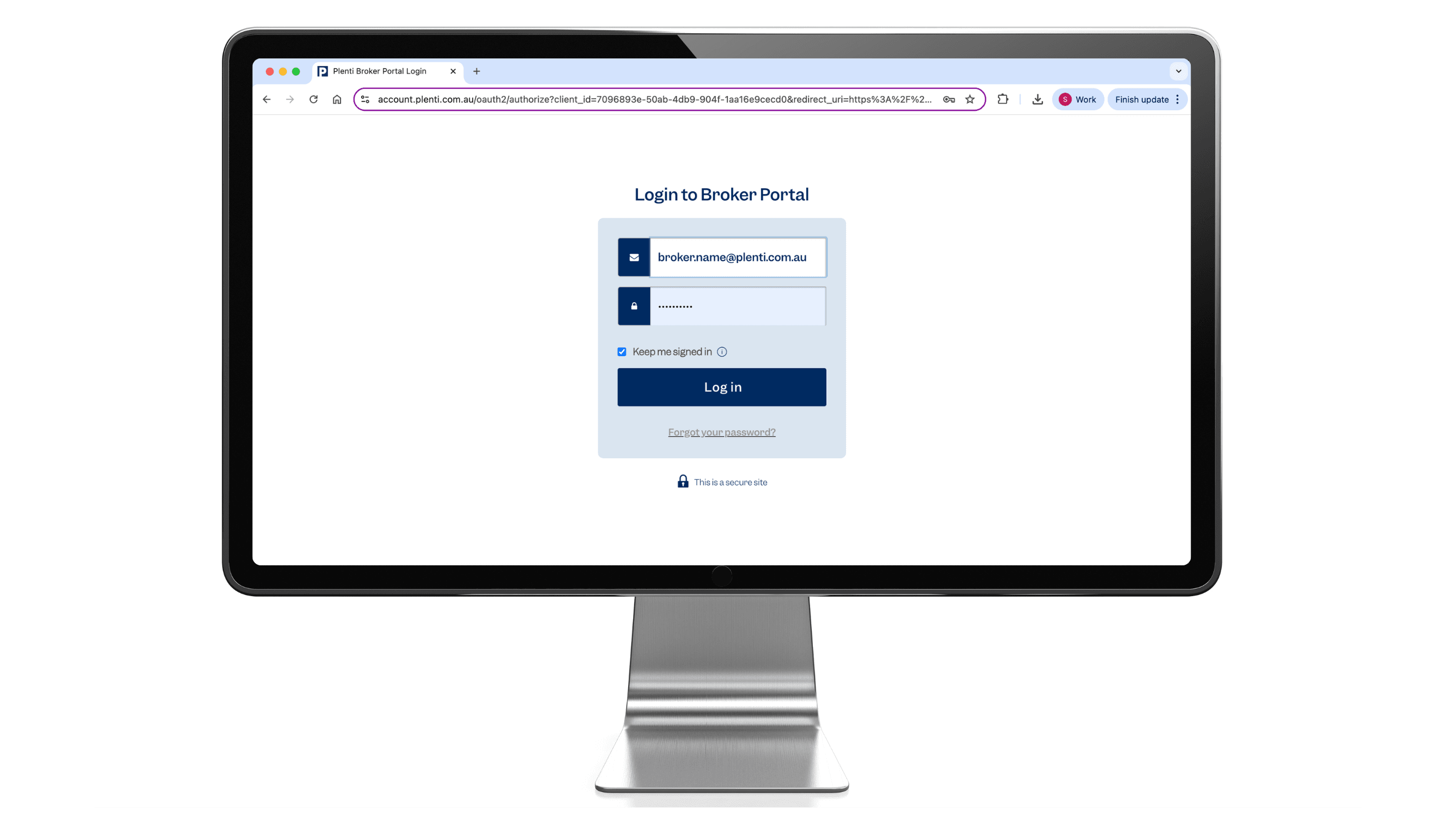
Access the Broker Portal
Log in to the Broker Portal using your credentials.
💡Bookmark the Broker Portal so it’s easy to access anytime you need to quote or submit an application.
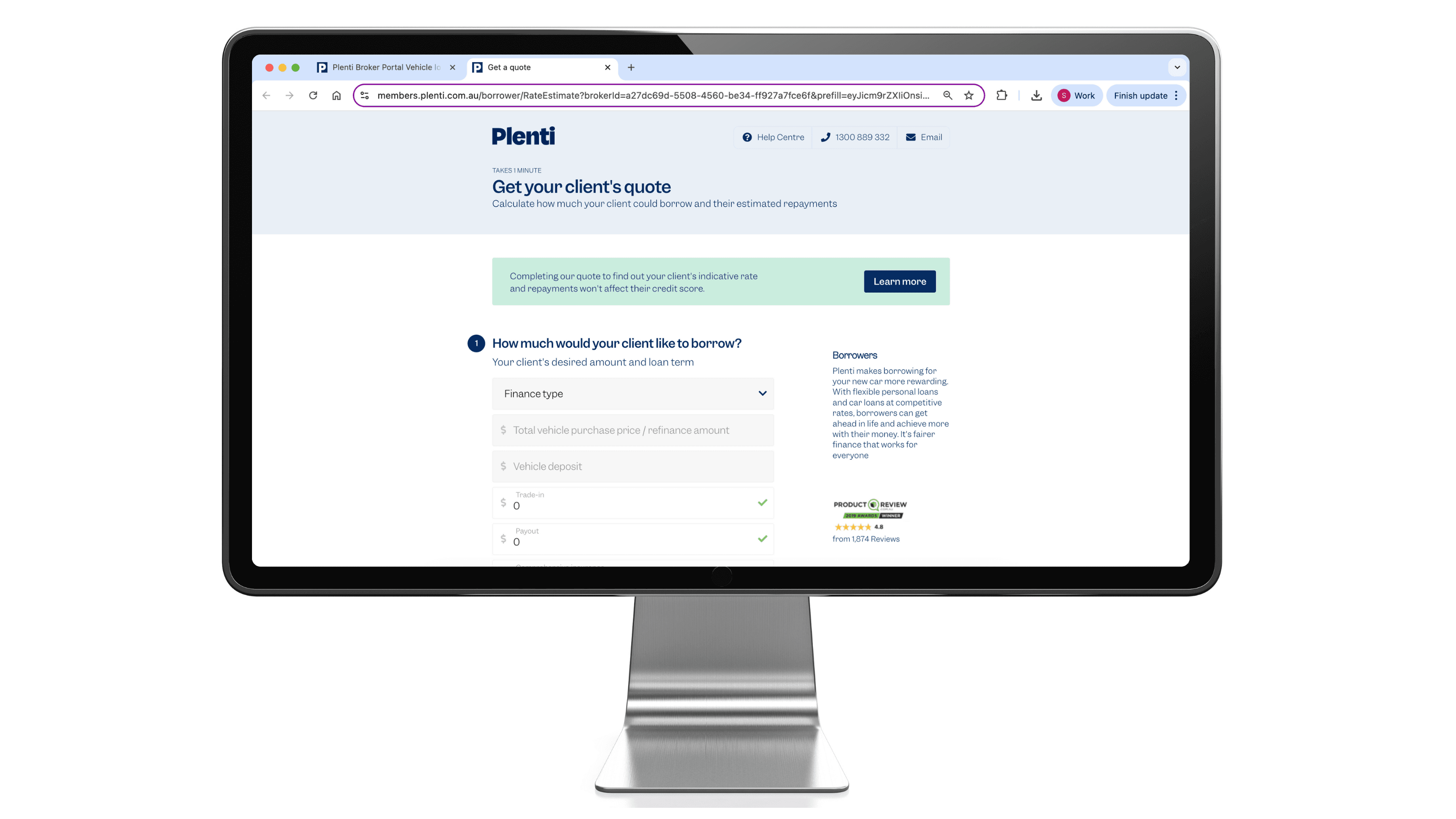
Start a new application
Navigate to the side menu, select Vehicle Loan under ‘New Application’, and click ‘Start Application Now’.
Enter your client’s basic details (full name, date of birth, address, and contact information) to generate a rate estimate. We’ll run a soft credit check (this won’t impact their credit score) and provide indicative rates and repayments.
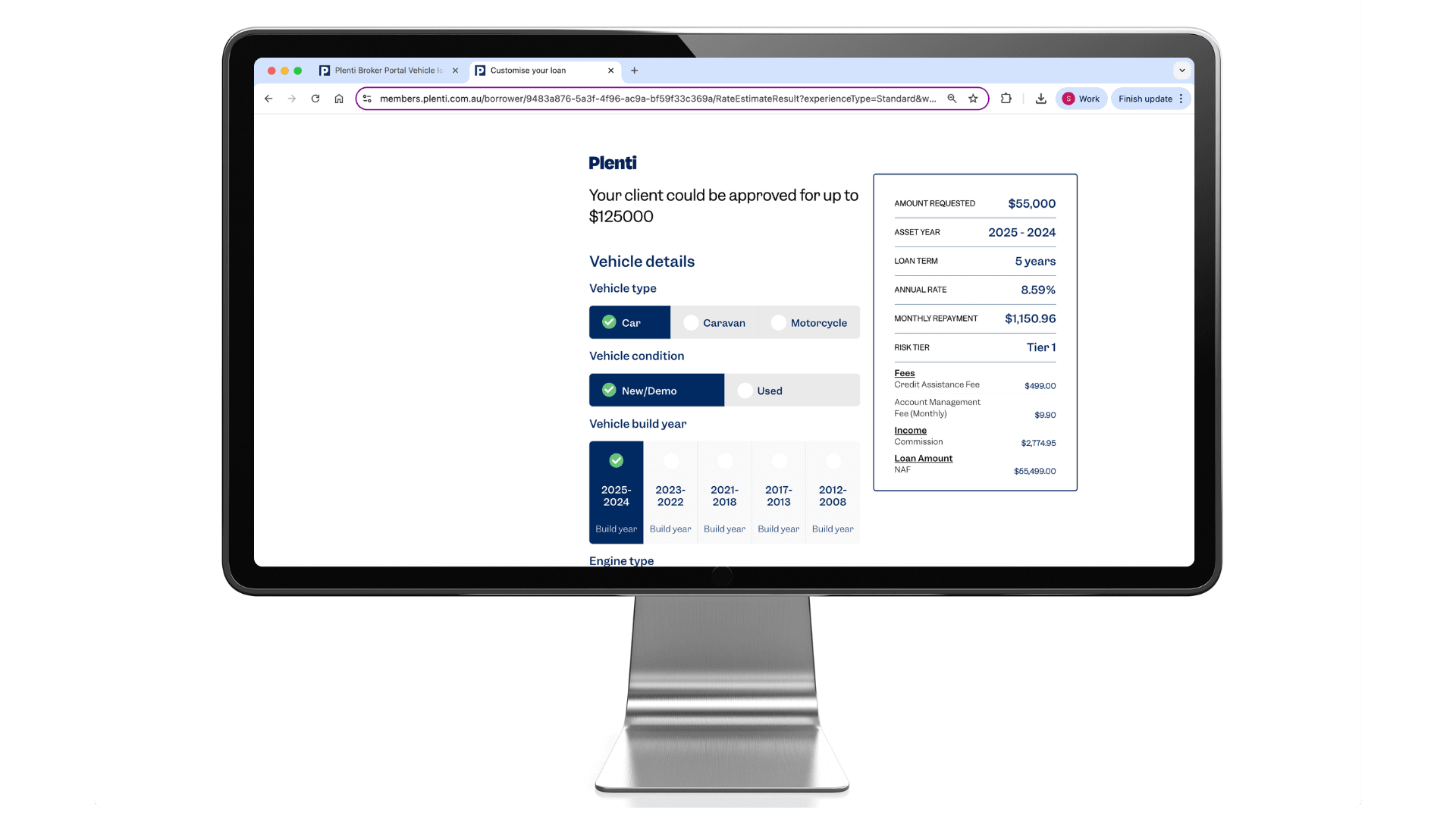
Finalise application
Select the preferred loan term and finance amount, then complete your client's full profile, including income, employment, expenses, and liabilities. Upload the required supporting documents (e.g., payslips and ID).
Once submitted, our credit team will assess the application; most are reviewed within 2 business hours*
💡 You can upload additional documents or amend finance and vehicle details in the application section of the broker portal.
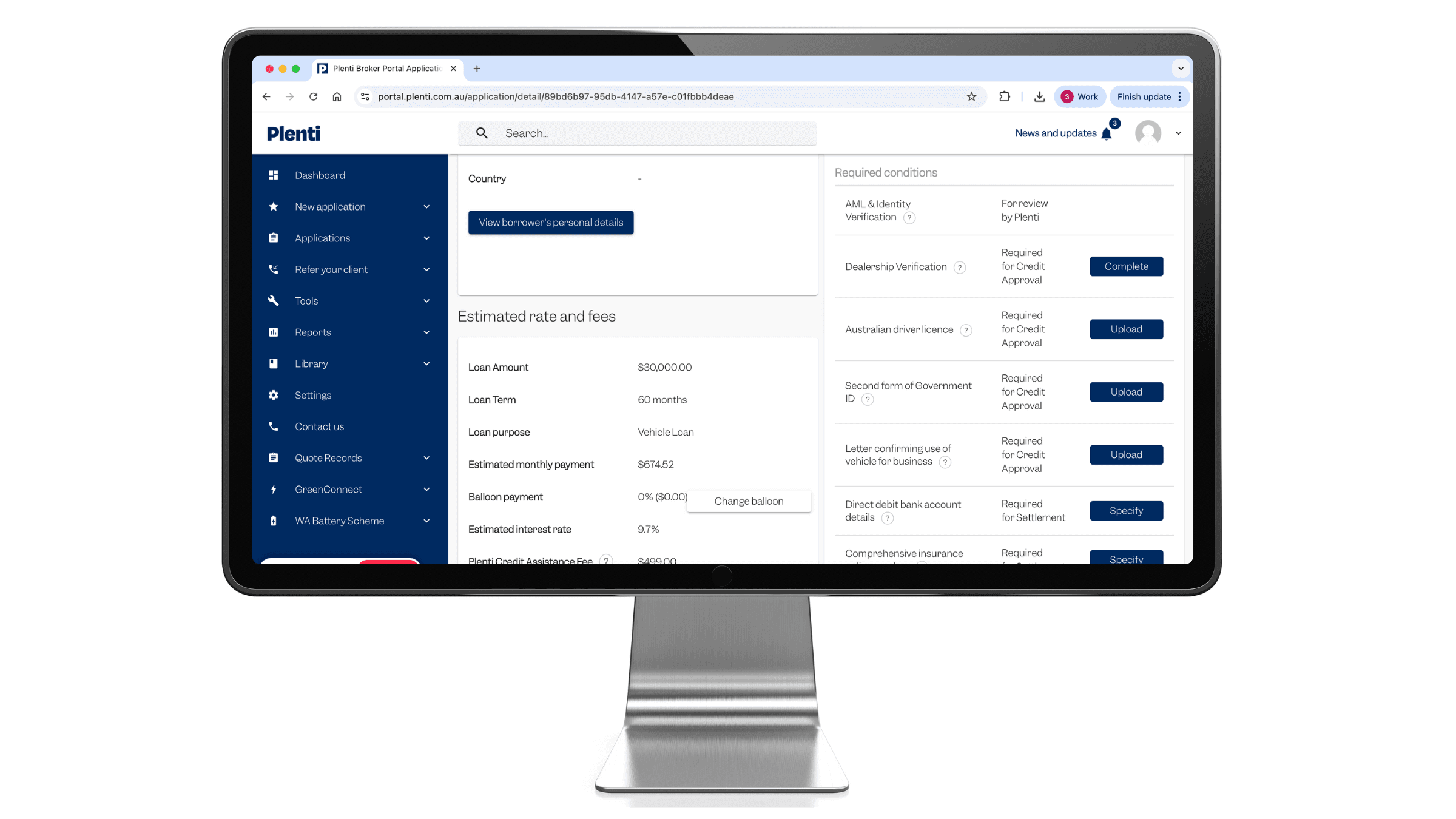
Provide settlement documents
If your application has been conditionally approved, upload the documents to meet each settlement condition for your client's application.
What happens next:
- Income-related conditions are reviewed by credit first, automatically
- Once all other documents are uploaded, our team will accept the documents or request updates
- When all conditions are met, contracts are issued to your client electronically
- After your client signs their contract, a remittance confirmation will be sent to you via email
💡 Tip: Make sure the documents are clearly named to avoid delays.

Need help with a deal?
Reach out to your RM
💡For anything deal-related, start with a call to your RM, It’s the quickest way to get your deal moving!
Fast, responsive and directly linked to our credit and broker support teams, our desk-based Relationship Managers can help you with:
- Deal support: scenarios, declines, pricing, and more
- Identify new opportunities and income streams
- Liaise with Credit and Settlements Teams on your behalf
- Fast-track your applications through internal teams where possible

Plenti's product guides
Get up-to-date on the latest product and policy information with our product Guides.
Personal loans
Find all the relevant information you will need for our personal loans product in the Personal Loans Product Guide.
Automotive loans
Find all the relevant information you will need for our automotive loans product in the Automotive Loans Product Guide.
We’re sure after a couple of settlements, using the platform will be second nature to you. In the meantime, bookmark this page for help when you need it.